
Purpose: User utilizing this entity option has the ability to set trade blocks at the registration level and at the underlying sleeve accounts level in one click. If the user don’t not want to utilize this functionality, they may turn the entity option OFF, giving the user the ability to independently manage trade blocks between the registration and the underlying account levels.
Endpoint PUT /Trading/Sleeve/Registrations/Batch?syncToEclipse=true – accepts Registration ID and Do Not Trade values, allowing users to update registrations and underlying accounts for “Do Not Trade” via API. Utilizing the below entity “Trade Block Sleeved Accounts” will determine if this endpoint trade blocks both the Registration and underlying Accounts.
Process Steps (entity option):
- Turn entity option “Trade Block Sleeved Accounts” ON (Replication Path: Orion Connect > Firm Profile > Sleeve Trading > Trade Block Sleeved Accounts)
- Trade block registration
- Underlying sleeved accounts become trade blocked
- Turn entity option “Trade Block Sleeved Accounts” OFF (Replication Path: Orion Connect > Firm Profile > Sleeve Trading > Trade Block Sleeved Accounts)
- Trade block registration
- Underlying sleeved accounts are not automatically trade blocked
PUT /Trading/Sleeve/Registrations/Batch?syncToEclipse=true
*Please note, the above PUT defaults to not syncing to Eclipse with /Trading/Sleeve/Registrations/Batch. Add ?syncToEclipse=true to adjust for syncing to Eclipse.
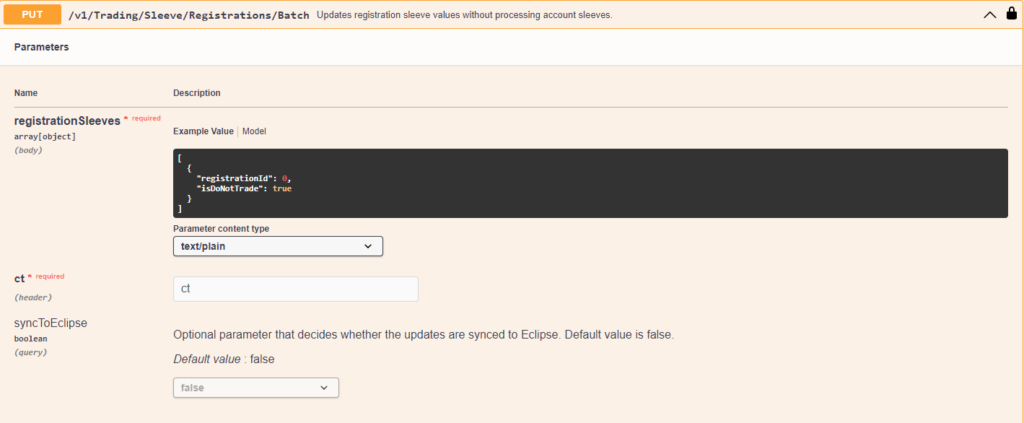
Request body:
[
  {
    "registrationId": 12345,
    "isDoNotTrade": false
  },
  {
    "registrationId": 52458,
    "isDoNotTrade": true
  },
  {
    "registrationId": 36548,
    "isDoNotTrade": false
  },
  {
    "registrationId": 98765,
    "isDoNotTrade": true
  }
]